Most drone faults announce themselves on the controller before anything breaks. DJI’s apps (DJI Fly, DJI Pilot 2 and DJI Agras) show a warning in the status bar and a code or message in the health check. Knowing what the common messages mean helps you decide whether to recalibrate in the field, stop flying, or bring the drone in. This guide covers the faults we see most often across the Mini, Air, Mavic, Avata, Matrice and Agras ranges.
The exact wording and code numbers differ between models and firmware versions. Always read the full message in the app and check the manual for your aircraft. For specific codes, use our drone fault code library.
1. IMU errors and “IMU calibration required”
The inertial measurement unit tells the flight controller how the drone is moving. Warnings usually appear after a knock, a big temperature change or a firmware update.
- Try first: let the drone warm up for a few minutes, then run IMU calibration in the app on a flat, level surface, away from vibration.
- Bring it in if: the warning returns straight after calibration, the drone drifts or will not take off. That often points to a damaged IMU board or mount after a crash.
2. Compass errors and magnetic interference
“Compass error”, “Compass interference” or “Move away from interference” are among the most common messages we hear about. Steel structures, reinforced concrete, vehicles, power lines and even a phone in your pocket can upset the compass.
- Try first: move to an open area away from metal and calibrate the compass only when the app asks for it.
- Bring it in if: the error appears everywhere, the drone circles (“toilet-bowl” drift) in GPS mode, or calibration keeps failing.
3. Gimbal motor overload and gimbal stuck
This appears when the gimbal cannot move freely. The usual causes are a gimbal clamp left on, grass or sand in the motors, or a bent arm after a hard landing.
- Try first: power off, remove the gimbal protector, check that nothing touches the camera, and restart on a level surface.
- Bring it in if: the camera tilts, shakes or the message comes back. Gimbal ribbon cables and motors are delicate and are best replaced on a bench.
4. ESC and motor errors
Messages such as “ESC error”, “Motor stall”, “Motor overloaded” or “Propulsion system error” mean the drone has detected a problem with a motor or its speed controller.
- Try first: check for damaged propellers, hair or grass around the motors and spin each motor by hand to feel for grinding.
- Do not fly with a propulsion warning. A failing motor or ESC can cause a sudden crash. This is a workshop job.
5. Vision and obstacle-sensing errors
“Vision system error”, “Obstacle avoidance unavailable” or “Vision sensor blocked” usually mean a dirty or scratched sensor, low light, or a sensor that needs calibration.
- Try first: clean every vision sensor with a soft lens cloth and fly in good light. Some models allow vision calibration in DJI Assistant 2.
- Bring it in if: the warning stays on in good light. Remember that obstacle sensing is not active in every flight mode.
6. Battery warnings
“Battery cell voltage difference too large”, “Battery communication error” or “Battery temperature too low/high” relate to the Intelligent Flight Battery.
- Try first: fully charge the battery, let it reach normal temperature, and update the battery firmware with the aircraft.
- Stop using a battery that is swollen, damaged or keeps showing a cell warning. Damaged lithium batteries can catch fire.
7. GPS and signal warnings
“Weak GPS signal”, “ATTI mode” and “Weak video signal” are not faults in themselves, but they change how the drone behaves. In ATTI mode the drone will not hold position and can drift with the wind.
- Try first: wait for enough satellites before take-off, keep the antennas pointed at the drone and avoid flying behind buildings or trees.
- Bring it in if: the drone struggles to find satellites in an open area or loses video at short range. A damaged GPS module or antenna is common after a crash.
8. Overheating
Drones and controllers can overheat in the South African sun, especially when idling on the ground. Shade the aircraft before take-off and do not leave it running on hot tar or a car bonnet. If it overheats while flying normally, have the fans and cooling checked.
When to stop and book a repair
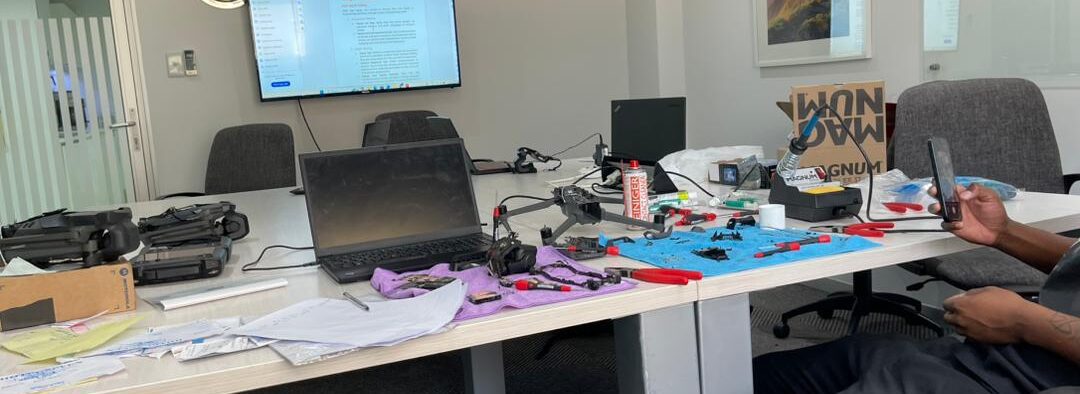
Recalibration fixes many sensor warnings. But stop flying and book a repair if you see propulsion or ESC errors, repeated IMU or compass errors after calibration, any battery damage, or if the drone has crashed, even if it seems fine. Our Randburg workshop reads the flight logs, finds the cause and quotes before any work starts. You can also ask for a quote or courier the drone to us from anywhere in South Africa.