A red warning in the DJI Fly or DJI Pilot app is one of the most stressful moments for any pilot. Some errors clear with a restart or a calibration. Others mean a part has failed and the drone should not fly until it has been checked. This guide explains how DJI error codes work, the most common ones we see in our Randburg workshop, and what to do about each.
How DJI error codes work
DJI drones constantly check their own systems: IMU, compass, GPS, vision sensors, gimbal, motors, ESCs and battery. When a reading falls outside the expected range, the app shows a message and, on most models, logs a numeric code. The same fault can appear with slightly different wording on different apps, so always note the exact message, the code (if shown) and what the drone was doing when it appeared.
For a searchable list of codes, use our drone fault code library. Below are the groups of errors we see most often.
Common DJI errors and what to do
| Warning | Usual cause | Try first |
|---|---|---|
| Compass error / magnetic interference | Metal, rebar, cars or power lines nearby | Move to an open area away from metal and recalibrate the compass |
| IMU error / IMU calibration required | Temperature change, a knock, or a firmware update | Let the drone reach room temperature, then calibrate the IMU on a flat, level surface |
| Gimbal motor overload | Gimbal lock left on, debris, or a bent gimbal arm after a crash | Remove the gimbal cover, check the gimbal moves freely and restart |
| Vision sensor error | Dirty or blocked sensors, or bright sun | Clean the sensors with a microfibre cloth and calibrate the vision system in DJI Assistant 2 |
| ESC / motor error | Water, sand or a damaged motor or ESC after a crash | Do not fly. This needs a workshop inspection |
| Battery cell voltage error | Unbalanced or damaged cells, or a battery stored full for too long | Stop using that battery and have it checked |
| Weak GPS / no position | Too few satellites, indoors or under cover | Wait in the open for a stronger signal before take-off |
Errors you can usually fix yourself
- Calibration messages (compass, IMU, vision). Follow the app’s calibration steps in an open area, away from metal, with the drone at room temperature.
- Firmware mismatch. Update the aircraft, controller and batteries together in the app or in DJI Assistant 2 so all parts run matching firmware.
- Gimbal start-up errors. Usually the gimbal clamp or cover was left on. Remove it and restart.
- GPS warnings. Move away from buildings and trees and give the drone a few minutes to lock on.
Errors that need a technician
Stop flying and book an inspection if you see any of these:
- ESC, motor or propulsion errors, especially after a crash or water landing
- An IMU or compass error that returns straight after a successful calibration
- Gimbal errors after a crash, or a camera image that shakes, tilts or drifts
- Battery cell or temperature errors, or a battery that is swollen
- Any error together with a burning smell, clicking sounds or a drone that will not power on
Flying with these faults risks a flyaway or crash, and the repair is almost always cheaper before the drone falls out of the sky.
How we diagnose errors at Omnisky
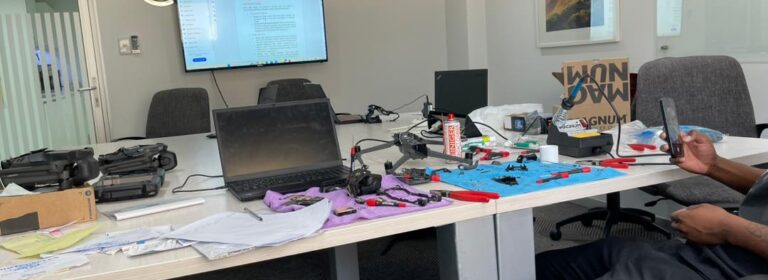
We read the flight logs, test each sensor and motor on the bench, and check the gimbal, ESCs and batteries before quoting. The diagnostic fee is R300, deducted from the repair if you go ahead. Most repairs take 2–7 days and every repair carries a 90-day warranty.
Frequently asked questions
Can a firmware update cause errors?
Yes. A partly completed update or mismatched firmware between drone, controller and batteries can trigger warnings. Re-run the update for all parts.
Is it safe to fly with a compass warning?
No. Move to another spot and recalibrate first. If it persists, have the compass checked.
Do you fix error codes on drones that are not DJI?
Yes. We work on several brands, including Autel and enterprise platforms.
Still seeing an error?
Book a repair online, walk in at 280 Oak Avenue, Ferndale, Randburg, or send the error message and a screenshot on WhatsApp to 075 231 2982. We also arrange courier collection from anywhere in South Africa.